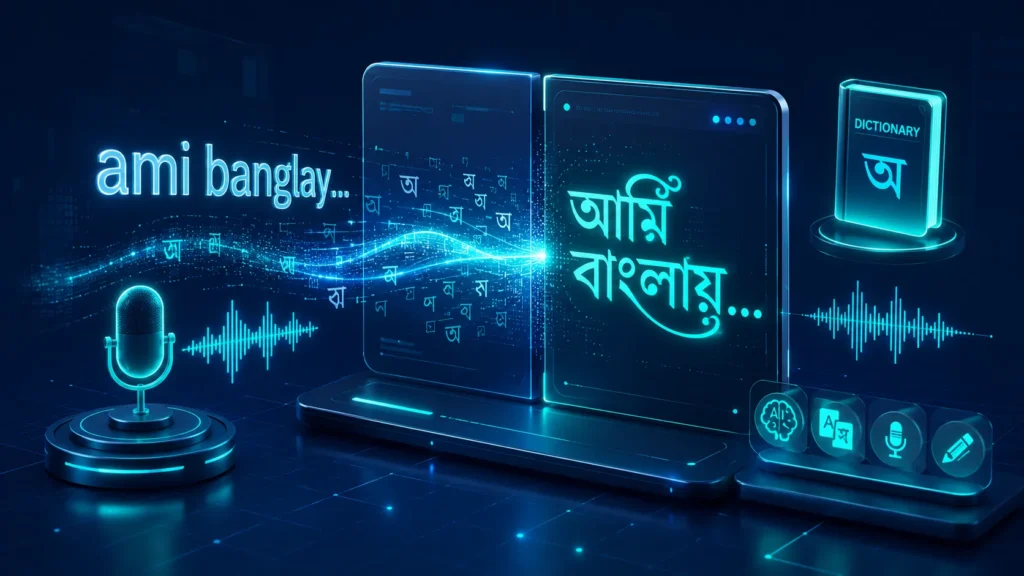
Publishing native Bengali content online can be a major challenge without a dedicated physical keyboard layout. Traditional virtual keypads slow down workflows and increase typographical errors. To eliminate this friction, we engineered the **Advanced English to Bangla Typing Suite** at ProDevZone.
This localized workbench translates phonetic English inputs into high-precision Unicode Bengali characters in real time. It is engineered with smart word suggestions, local speech-to-text engines, custom macro expansions, and basic structural formatting tools to form a modern, robust text editor inside your web browser.
Integrated Operational Core
The core framework pairs asynchronous client-side scripts with global transliteration dictionaries. Key processing components include:
Adaptive Transliteration
The system dynamically analyzes key entry chains and returns the top 5 match possibilities via a contextual suggestion matrix.
Web Speech APIs
Built-in integration with local hardware microphones allows hands-free Bengali speech dictation without using third-party clouds.
AI Writing Assistant
Instantly perform client-side spelling audits, run formal-to-informal conversions, or summarize comprehensive text chains.
Exhaustive User Guide & Features
1. Phonetic Key Entry & Selection Loop
Type phrases using standard phonetic English patterns (e.g., "ami banglay gan gai"). The engine displays a floating selection row immediately under your active token:
- Arrow Navigation: Use the
Down Arrow or Up Arrow keys to cycle through alternative word variations.
- Instant Choice: Press
Space or Enter to accept the highlighted word option.
- Numeric Hotkeys: Press digits
1 through 5 to instantly snap that word variant into the editor layout.
2. Custom Micro Dictionary Mappings
Tired of typing long, repetitive phrases? The **My Dictionary** workspace node allows you to establish macro text blocks:
- Assign short alphabetic combinations to large Bengali text strings (e.g., mapping
"slm" to produce "আসসালামু আলাইকুম").
- Whenever the engine reads your short code token, it automatically swaps it with your saved phrase.
3. Specialized Glyph & Search Panels
- Avro Phonics Guide: A searchable, comprehensive keymap that helps you find complex vowel signs and conjunct characters quickly.
- Glyphs Palette: Tap dedicated on-screen buttons to insert specific symbols like the Currency Token (
৳) or Hasanta punctuation marks at your current cursor position.
- Find & Replace Block: Clean up typos globally by targeting word chains and swapping them instantly.
Data Resilience Pro Tip: Automated Sandbox LocalStorage
The typing suite automatically hooks into your browser’s secure `localStorage` pool. If you close your viewport tab, drop your power grid connection, or refresh by mistake, your text drafts stay fully intact and load back up instantly.
Steps to Export Content
- Copy to Clipboard: Click **Copy Bangla Text** to save your text to the system clipboard for easy deployment into social channels or office software packages.
- Download Text Document: Click **Download (.txt)** to extract raw text data blocks as localized text file layers.
- Print to PDF Layout: Click **Print / PDF** to launch a clean, formatted page wrapper ready for physical printing or PDF storage.
- Direct WhatsApp Delivery: Tap the **Share** node to pass raw text variables directly into mobile or desktop WhatsApp communication windows.
Frequently Asked Questions (FAQ)
Why isn’t voice typing functioning inside my current browser window?
The voice-to-text framework relies on native Web Speech Recognition sub-layers. It is fully supported by Google Chrome and Microsoft Edge, but may require you to manually grant microphone access permissions.
Can I use this tool completely offline?
The core editor, local macro dictionary, and keymaps operate entirely offline. However, the advanced predictive suggestion engine requires a live internet connection to communicate with open translation tools.
How secure is the AI Copilot assistant with private logs?
The AI Assistant functions via programmatic rules executed natively inside your browser viewport. No text data blocks are transmitted to cloud endpoints, keeping your workspace logs secure.
ডেস্কটপ বা মোবাইলে কাস্টম কিবোর্ড লেআউট ইন্সটল করার ঝামেলা ছাড়াই যেকোনো ব্রাউজারে দ্রুত বাংলা লেখা নিশ্চিত করা একটি বড় চ্যালেঞ্জ। সাধারণ ভার্চুয়াল কিবোর্ডগুলো কাজের গতি কমিয়ে দেয় এবং ভুলের সংখ্যা বাড়িয়ে দেয়। এই সমস্যার সমাধানে আমরা তৈরি করেছি **Advanced English to Bangla Typing Suite**।
এই প্রফেশনাল টাইপিং ওয়ার্কবেঞ্চটি আপনার ফোনেটিক ইংরেজি ইনপুটকে (Avro স্টাইল) রিয়েল-টাইমে নিখুঁত ইউনিকোড বাংলা ক্যারেক্টারে রূপান্তর করে। এতে রয়েছে উন্নত শব্দ সাজেশন লেয়ার, ভয়েস ডিক্টেশন, কাস্টম শটকাট ম্যাক্রো এবং বিল্ট-ইন এআই রাইটিং অ্যাসিস্ট্যান্টের মতো চমৎকার সব আধুনিক ফিচার।
ওয়ার্কবেঞ্চের মূল অভ্যন্তরীণ মডিউলসমূহ
এই টুলটির আর্কিটেকচার মূলত ব্রাউজার-সাইড জাভাস্ক্রিপ্ট ইঞ্জিন এবং ক্লাউড ট্রান্সলিটারেশন ডিকশনারির সমন্বয়ে কাজ করে। এর মূল মডিউলগুলো হলো:
অ্যাডাপ্টিভ ট্রান্সলিটারেশন
ইউজারের টাইপ করা প্রতিটি ইংরেজি শব্দের বিপরীতে সেরা ৫টি সম্ভাব্য বাংলা শব্দের সাজেশন প্যানেল রেন্ডার করে।
ওয়েব স্পিচ এপিআই (Voice)
কোনো থার্ড-পার্টি ক্লাউড সার্ভার ছাড়াই ব্রাউজারের নেটিভ ভয়েস রিকগনিশন ব্যবহার করে বাংলায় মুখে বলে সরাসরি টাইপ করার সুবিধা।
লোকাল এআই রাইটিং অ্যাসিস্ট্যান্ট
এক ক্লিকেই বাংলা বানানের ভুল অডিট করা, সাধু ভাষা থেকে চলতি ভাষায় রূপান্তর কিংবা বড় কোনো ড্রাফটের সংক্ষিপ্ত সামারি তৈরি করার ক্ষমতা।
বিস্তারিত ইউজার গাইড এবং ফিচারসমূহ
১. ফোনেটিক কিবোর্ড এন্ট্রি এবং নেভিগেশন লুপ
ইংরেজি হরফ ব্যবহার করে সাধারণ উচ্চারণে লিখুন (যেমন- "amader desher nam bangladesh")। টাইপ করার সময় সাজেশন বারে শব্দ পরিবর্তনের জন্য নিচের নিয়মগুলো অনুসরণ করুন:
- অ্যারো কি নেভিগেশন: সাজেস্টেড শব্দের তালিকা স্ক্রোল করতে কিবোর্ডের
Down Arrow বা Up Arrow কি ব্যবহার করুন।
- শব্দ সিলেক্ট করা: কাঙ্ক্ষিত শব্দটি হাইলাইট থাকা অবস্থায়
Space অথবা Enter প্রেস করলে সেটি স্বয়ংক্রিয়ভাবে ইনসার্ট হয়ে যাবে।
- নাম্বার শর্টকাট: মাউস ব্যবহার না করে কিবোর্ডের ১ থেকে ৫ পর্যন্ত সংখ্যাগুলো চেপেও সরাসরি সাজেস্টেড শব্দ বাছাই করা যায়।
২. মাই ডিকশনারি (কাস্টম শটকাট ম্যাক্রো)
বড় বা বারবার ব্যবহার করতে হয় এমন শব্দগুলোকে ছোট শর্টকোডের মাধ্যমে সেভ করে রাখার জন্য **My Dictionary** ট্যাবটি ব্যবহার করুন:
- যেকোনো ইংরেজি শর্টকোডের বিপরীতে একটি বাংলা শব্দ বা বাক্য সেট করুন (যেমন-
"slm" এর বিপরীতে "আসসালামু আলাইকুম")।
- পরবর্তীতে ইনপুট বক্সে শর্টকোডটি লিখে স্পেস দিলেই তা স্বয়ংক্রিয়ভাবে পূর্ণাঙ্গ বাংলা বাক্যে রূপান্তরিত হবে।
৩. স্পেশাল গ্লিফ এবং সার্চ প্যানেল
- অভ্র গাইড ম্যাপ: কোন ইংরেজি অক্ষরে কোন বাংলা বর্ণ আসে বা জটিল যুক্তবর্ণগুলো কীভাবে লিখতে হয়, তা সহজেই এখানে সার্চ করে দেখে নেওয়া যায়।
- গ্লিফ প্যালেট: কিবোর্ডে সহজে খুঁজে পাওয়া যায় না এমন কিছু বিশেষ চিহ্ন যেমন- টাকার সাইন (
৳), হレント বা চন্দ্রবিন্দু এক ক্লিকেই কার্সরের জায়গায় বসাতে পারবেন।
- ফাইন্ড অ্যান্ড রিপ্লেস: লেখার ভেতরের কোনো সুনির্দিষ্ট শব্দ পরিবর্তন করতে চাইলে এই ইঞ্জিনের মাধ্যমে এক ক্লিকেই তা রিপ্লেস করা সম্ভব।
ডেটা ব্যাকআপ প্রো-টিপ: অটোমেটেড লোকালস্টোরেজ
আমাদের এই ওয়ার্কবেঞ্চটি ব্রাউজারের নিরাপদ `localStorage` পুল ব্যবহার করে। টাইপ করার সময় হঠাৎ ব্রাউজার ট্যাব বন্ধ হয়ে গেলে, কারেন্ট চলে গেলে কিংবা পেজ রিফ্রেশ হলেও আপনার সাধনার ড্রাফটটি মুছে যাবে না, পেজ ওপেন করলেই তা আবার ফিরে আসবে।
কন্টেন্ট এক্সপোর্ট করার বিভিন্ন মাধ্যম
- ক্লিপবোর্ডে কপি: **Copy Bangla Text** বাটনে ক্লিক করে পুরো লেখাটি এক ক্লিকে কপি করে সোশ্যাল মিডিয়া বা অন্য যেকোনো অ্যাপে পেস্ট করতে পারেন।
- টেক্সট ফাইল ডাউনলোড: আপনার দীর্ঘ লেখাটিকে একটি পিওর টেক্সট ফাইল হিসেবে ডিভাইসে সংরক্ষণ করতে **Download (.txt)** অপশনটি ব্যবহার করুন।
- পিডিএফ বা প্রিন্ট লেআউট: লেখাটিকে একটি প্রফেশনাল ডকুমেন্ট আকারে প্রিন্ট করতে বা পিডিএফ ফাইল হিসেবে সেভ করতে **Print / PDF** বাটনে ক্লিক করুন।
- সরাসরি হোয়াটসঅ্যাপ শেয়ার: **Share** বাটনে ক্লিক করে এক ক্লিকেই আপনার বাংলা টেক্সট সরাসরি যেকোনো হোয়াটসঅ্যাপ চ্যাটে পাঠিয়ে দিন।
সচরাচর জিজ্ঞাসিত প্রশ্নাবলী (FAQ)
আমার ব্রাউজারে ভয়েস টাইপিং কাজ করছে না কেন?
ভয়েস টাইপিং ফিচারটি ব্রাউজারের নিজস্ব ‘Web Speech Recognition API’ এর ওপর নির্ভরশীল। এটি গুগল ক্রোম (Google Chrome) এবং মাইক্রোসফট এজ (Microsoft Edge) ব্রাউজারে সবচেয়ে ভালো কাজ করে। এছাড়া ব্রাউজারে মাইক্রোফোনের পারমিশন দেওয়া আছে কিনা তা নিশ্চিত করুন।
এই টাইপিং টুলটি কি সম্পূর্ণ অফলাইনে ব্যবহার করা সম্ভব?
টুলটির টেক্সট এডিটর, পার্সোনাল ডিকশনারি এবং অভ্র গাইড ম্যাপ সম্পূর্ণ অফলাইনে কাজ করে। তবে টাইপ করার সময় রিয়েল-টাইম ক্লাউড সাজেশন বা শব্দবিকল্প পেতে ইন্টারনেট সংযোগের প্রয়োজন হবে।
এআই অ্যাসিস্ট্যান্ট আমার লেখার গোপনীয়তা কতটুকু রক্ষা করে?
এই টুলের এআই রাইটিং অ্যাসিস্ট্যান্টের সমস্ত লজিক সম্পূর্ণভাবে আপনার ব্রাউজারের ভেতরে লোকাল স্ক্রিপ্টের মাধ্যমে প্রসেস হয়। আপনার টাইপ করা কোনো ডেটা বা কন্টেন্ট কোনো এক্সটার্নাল ক্লাউড সার্ভারে পাঠানো হয় না, তাই আপনার প্রাইভেসির নিরাপত্তা শতভাগ।