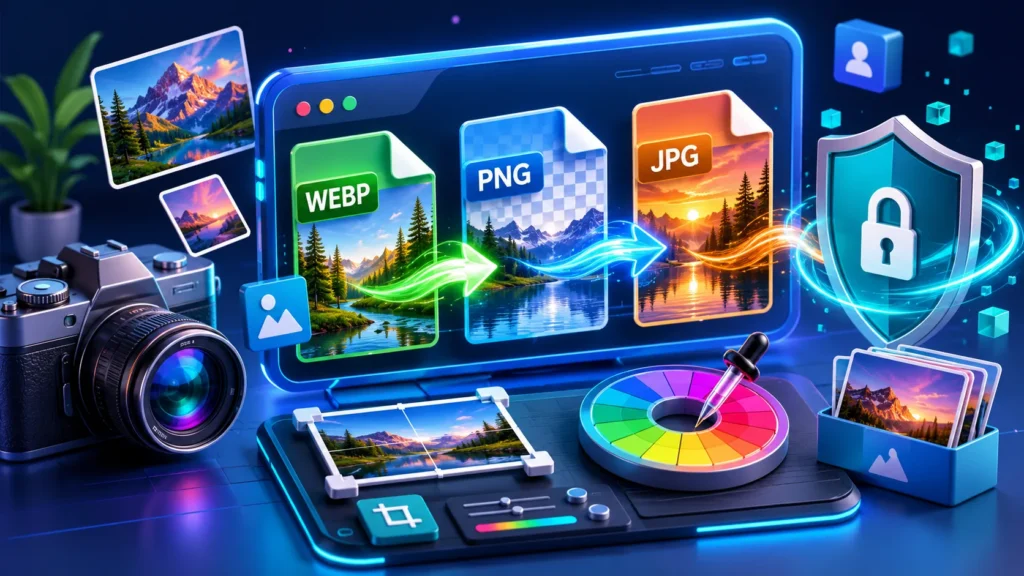
Images are a vital component of modern web ecosystems, but massive file sizes often slow down page speeds and degrade Core Web Vitals. Finding a balance between razor-sharp resolution and highly optimized compression can be difficult. That is exactly why we built a premium local utility inside ProDevZone.
This utility allows you to format, crop, filter, and modify your image sheets natively inside your browser viewport. No backend file storage, no telemetry leaks—just raw web performance engineering designed directly for digital web asset producers, bloggers, and webmasters.
Architectural Deep Dive
Unlike conventional web applications that process media uploads on remote servers, this tool relies fully on local HTML5 Canvas API loops. This architectural standard offers two massive advantages:
- Absolute Performance: Elimination of file upload/download cycles. Processing happens instantly at hardware limits.
- Total Data Isolation: Your proprietary digital assets never leave your local hardware environment.
Exhaustive User Guide & Features
1. Target Format Configurations
The system natively supports target translations into major web extensions:
- WEBP Optimization: The industry standard for production web delivery. Dramatically slashes payload parameters without destroying structural crispness.
- PNG Wrapper: Maintains 100% alpha transparency data intact for logos, graphics, and interface overlays.
- JPEG Engine: Classic fallback structure with a continuous sliding quality controller factor.
2. Proportional Cropping & Destructive Transforms
Clicking the **Edit** dashboard node reveals a robust sub-panel driven by high-accuracy canvas transformations:
- Aspect Ratio Constraints: Crop images instantly using perfect mathematical targets like 1:1 (Square), 16:9 (Widescreen), 4:3 (Standard), or completely Unconstrained Free-form selection.
- Spatial Flipped Rotations: Correct accidental mirror flips or horizontal/vertical sensor orientation issues in a single action.
- Bulk Dimensional Resizing: Scale vast clusters of image layers down to exact pixel parameters uniformly.
3. Chromatic Analysis Engine
Built for frontend engineers and interface designers, the **Colors** node exposes two custom components:
- Palette Generation Matrix: Evaluates pixel cluster weight vectors and isolates the top 6 dominant architectural hexadecimal values inside the image sheet.
- Magnified Eyedropper Element: Activates a native loupe UI layer, allowing developers to target single specific pixels on the canvas array and extract their precise HEX keys to the clipboard.
SEO Pro Tip: Automated SEO Filename Sanitization
The application routine automatically filters and formats your output naming architecture to match strict web discovery rules: romanuzzaman.com-prodevzone-[your-original-filename]. This avoids blank space handling issues and directly boosts asset discoverability in Google Image indexes.
Step-by-Step Operational Blueprint
- Intake Layers: Navigate to the Pro Image Converter Page. Drag your asset sheets directly onto the dashed active dropzone, or paste them directly from your system clipboard using
Ctrl + V.
- Set Universal Parameters: Adjust the global radio controls to define your target output layout (WEBP is recommended) and dial in your compression factor slider (80% balances payload and clarity beautifully).
- Apply Modifications: Open the individual edit drawers to crop, water text overlays, or activate visual grading filters (B&W, Sepia, Contrast Adjustments).
- Compile Output Matrix: Click individual **Save** tokens for rapid isolation, or use the **Download ZIP** button to bundle massive files instantly via optimized JSZip pipelines.
Frequently Asked Questions (FAQ)
Are my uploaded image assets stored securely on ProDevZone systems?
Absolutely not. The architecture utilizes local client-side memory loops via HTML5 Canvas layers. Your images never touch external servers, ensuring ultimate data isolation and security.
Why should I prefer WebP format over standard PNG or JPG files?
WebP provides superior lossy and lossless compression paradigms for web graphics. It reduces total payload sizes by over 30% compared to traditional JPEG layouts without causing notable structural generation artifacts.
How does the client-side bulk compression process operate?
The workflow dynamically queues array matrices via asynchronous JS promises, encoding image streams via browser rendering pipelines to maximize execution performance without viewport stutter.
একটি আধুনিক ওয়েবসাইটের স্পিড এবং এসইও (SEO) পারফরম্যান্স ঠিক রাখার জন্য ইমেজ অপ্টিমাইজেশন অত্যন্ত জরুরি। বড় সাইজের ইমেজ আপনার সাইটকে স্লো করে দেয়, যা ভিজিটর ও সার্চ ইঞ্জিন কোনোটিই পছন্দ করে না। ঠিক এই সমস্যার সহজ সমাধান দিতেই আমরা প্রোডিভজোনে যুক্ত করেছি একটি প্রিমিয়াম ওয়েব টুল।
এই অ্যাডভান্সড ওয়েব ইউটিলিটি ব্যবহার করে আপনি আপনার ব্রাউজারের ভেতরেই যেকোনো ইমেজের ফরম্যাট পরিবর্তন, ক্রপ, ফিল্টার বা ওয়াটারমার্ক যোগ করতে পারবেন। এখানে কোনো থার্ড-পার্টি সার্ভারে ফাইল আপলোড হয় না, ফলে আপনার গোপনীয়তা থাকে শতভাগ সুরক্ষিত।
টেকনিক্যাল আর্কিটেকচার
সাধারণ কনভার্টারগুলোর মতো এই টুলটি আপনার ফাইল কোনো রিমোট সার্ভারে পাঠায় না, বরং এটি সম্পূর্ণভাবে আপনার ব্রাউজারের নিজস্ব HTML5 Canvas API লুপের ওপর ভিত্তি করে কাজ করে। এর ফলে আপনি পাচ্ছেন দুটি অনন্য সুবিধা:
- সুপার-ফাস্ট স্পিড: ফাইল আপলোড বা ডাউনলোডের কোনো ঝামেলা নেই। আপনার কম্পিউটারের হার্ডওয়্যার ক্ষমতা অনুযায়ী প্রসেসিং সম্পন্ন হয় পলকের মাঝেই।
- নিরাপত্তা ও প্রাইভেসি: আপনার পার্সোনাল বা ক্লায়েন্টের ইমেজ ফাইলগুলো সবসময় আপনার নিজের ডিভাইতেই থাকে, ফলে ডেটা ফাঁসের কোনো সুযোগ নেই।
বিস্তারিত ইউজার গাইড এবং ফিচারসমূহ
১. কাঙ্ক্ষিত ফরম্যাট কনভার্সন মোড
টুলটি প্রধান প্রধান ওয়েব ফরম্যাটগুলোকে নেティブলি সাপোর্ট করে:
- WEBP অপ্টিমাইজেশন: বর্তমান ওয়েবের স্ট্যান্ডার্ড ফরম্যাট। ইমেজের ভিজ্যুয়াল কোয়ালিটি অক্ষুণ্ণ রেখে ফাইলের সাইজ নাটকীয়ভাবে কমিয়ে আনে।
- PNG ট্রান্সপারেন্সি: লোগো, আইকন বা গ্রাফিক্সের আলফা ট্রান্সপারেন্সি ব্যাকগ্রাউন্ড নিখুঁতভাবে ধরে রাখে।
- JPEG ইঞ্জিন: প্রথাগত ইমেজের জন্য কন্টিনিউয়াস কোয়ালিটি স্লাইডার কন্ট্রোলারসহ ক্লাসিক অপশন।
২. প্রোপোরショナル ক্রপিং এবং ডেসট্রাক্টিভ ট্রান্সফর্ম
প্রতিটি ইমেজের নিচে থাকা **Edit** প্যানেলে ক্লিক করলে চমৎকার কিছু ক্যানভাস অপশন উন্মুক্ত হয়:
- অ্যাসপেক্ট রেশিও কনস্ট্রেইন্টস: ১:১ (স্কয়ার), ১৬:৯ (ওয়াইডস্ক্রিন), ৪:৩ (স্ট্যান্ডার্ড) প্রিসেট অথবা যেকোনো কাস্টম আকারে ইমেজ ক্রপ করার সুবিধা।
- স্পেশাল রোটেশন ও ফ্লিপ: ভুল ওরিয়েন্টেশনে থাকা ইমেজকে এক ক্লিকেই ৯০-ডিগ্রি রোটেট কিংবা হরিজন্টাল/ভার্টিকাল ফ্লিপ করা যায়।
- বাল্ক ডাইমেনшкойনাল রিসাইজ: অনেকগুলো ইমেজকে একসাথে নির্দিষ্ট পিক্সেল ডাইমেনশনে (যেমন- Width বা Height) নিখুঁতভাবে রিসাইজ করুন।
৩. অ্যাডভান্সড কালার অ্যানালাইসিস ইঞ্জিন
ফ্রন্টএন্ড ডেভেলপার এবং ডিজাইনারদের কাজের সুবিধার্থে **Colors** ট্যাবে দুটি বিশেষ টুল রাখা হয়েছে:
- কালার প্যালেট জেনারেটর: ইমেজের পিক্সেল ম্যাট্রিক্স অ্যানালাইসিস করে এর ভেতরের মূল ৬টি ডমিন্যান্ট কালারের হেক্সাডেসিমেল (HEX) কোড বের করে দেয়।
- ম্যাগনিফাইড আইড্রপার ইউআই: এটি অন করলে একটি জুম-লুপ চালু হয়, যার মাধ্যমে ইমেজের নিখুঁত যেকোনো পিক্সেলের ওপর ক্লিক করে সেই কালার কোড সরাসরি ক্লিপবোর্ডে কপি করা যায়।
এসইও প্রো-টিপ (SEO Pro Tip): অটোমেটেড ফাইলনেম স্ট্রাকচার
আমাদের এই টুলটি প্রতিটি ফাইলের নাম পরিবর্তন করে স্বয়ংক্রিয়ভাবে একটি স্ট্যান্ডার্ড এসইও ফরম্যাটে রূপান্তর করে: romanuzzaman.com-prodevzone-[your-filename]। এটি সার্চ ইঞ্জিন বটগুলোকে আপনার ইমেজগুলো সহজে ইনডেক্স ও র্যাংক করতে সাহায্য করে।
কীভাবে ব্যবহার করবেন? (ধাপসমূহ)
- ফাইল ইনপুট করুন: প্রথমে Pro Image Converter পেজে যান। আপনার ফাইলগুলো সিলেক্ট করে ড্রপ জোনে ছেড়ে দিন, অথবা সরাসরি ক্লিপবোর্ড থেকে
Ctrl + V প্রেস করে পেস্ট করুন।
- গ্লোবাল সেটিংস ঠিক করুন: আপনার কাঙ্ক্ষিত আউটপুট ফরম্যাট (যেমন- WEBP) এবং কোয়ালিটি স্লাইডারটি সেট করুন (৮০% কোয়ালিটি রাখা ওয়েবসাইটের জন্য সবচেয়ে পারফেক্ট)।
- প্রয়োজনীয় এডিট করুন: সিঙ্গেল ইমেজের এডিট অপশনে গিয়ে ক্রপ করুন, ওয়াটারমার্ক টেক্সট বসান কিংবা ভিজ্যুয়াল গ্রেডিং ফিল্টার (B&W, Sepia, Contrast) অ্যাপ্লাই করুন।
- ফাইল এক্সপোর্ট করুন: কাজ শেষ হলে প্রতিটি ইমেজের জন্য আলাদাভাবে **Save** ক্লিক করতে পারেন, অথবা **Download ZIP** বাটনে ক্লিক করে সমস্ত ফাইল একসাথে জিপ আকারে ডাউনলোড করে নিন।
সচরাচর জিজ্ঞাসিত প্রশ্নাবলী (FAQ)
আমার আপলোড করা ইমেজগুলো কি প্রোভডিভজোন সার্ভারে সেভ হয়?
না, একেবারেই না। এই কনভার্টারটি সম্পূর্ণ ক্লায়েন্ট-সাইড (Client-side) আর্কিটেকচার মেনে চলে। HTML5 Canvas এবং File API ব্যবহার করায় সমস্ত প্রসেসিং আপনার নিজস্ব ব্রাউজারেই সম্পন্ন হয়। ফলে ডেটা ফাঁসের কোনো ঝুঁকি নেই।
সাধারণ JPG/PNG ফাইলের চেয়ে WebP ফরম্যাট কেন বেশি উপযোগী?
WebP ফরম্যাট ইমেজের ভিজ্যুয়াল কোয়ালিটি ঠিক রেখে ফাইলের সাইজ প্রায় ৩০% পর্যন্ত কমিয়ে আনে। এর ফলে আপনার ওয়েব পেজ দ্রুত লোড হয় এবং হোস্টিং ব্যান্ডউইথ সাশ্রয় হয়।
বাল্ক কনভার্সন (Bulk Conversion) প্রসেসটি কীভাবে কাজ করে?
আমাদের জাভাস্ক্রিপ্ট ইঞ্জিন ব্যাকগ্রাউন্ডে অ্যাসিনক্রোনাস প্রমিস (Asynchronous JS Promises) ব্যবহার করে প্রতিটি ইমেজকে লুপ আকারে প্রসেস করে, যার ফলে ব্রাউজার হ্যাং না করেই একসাথে অনেকগুলো ফাইল দ্রুত কনভার্ট হয়ে যায়।